Cross stitch chart maker: proper symbol charts, backstitch, and PDF export
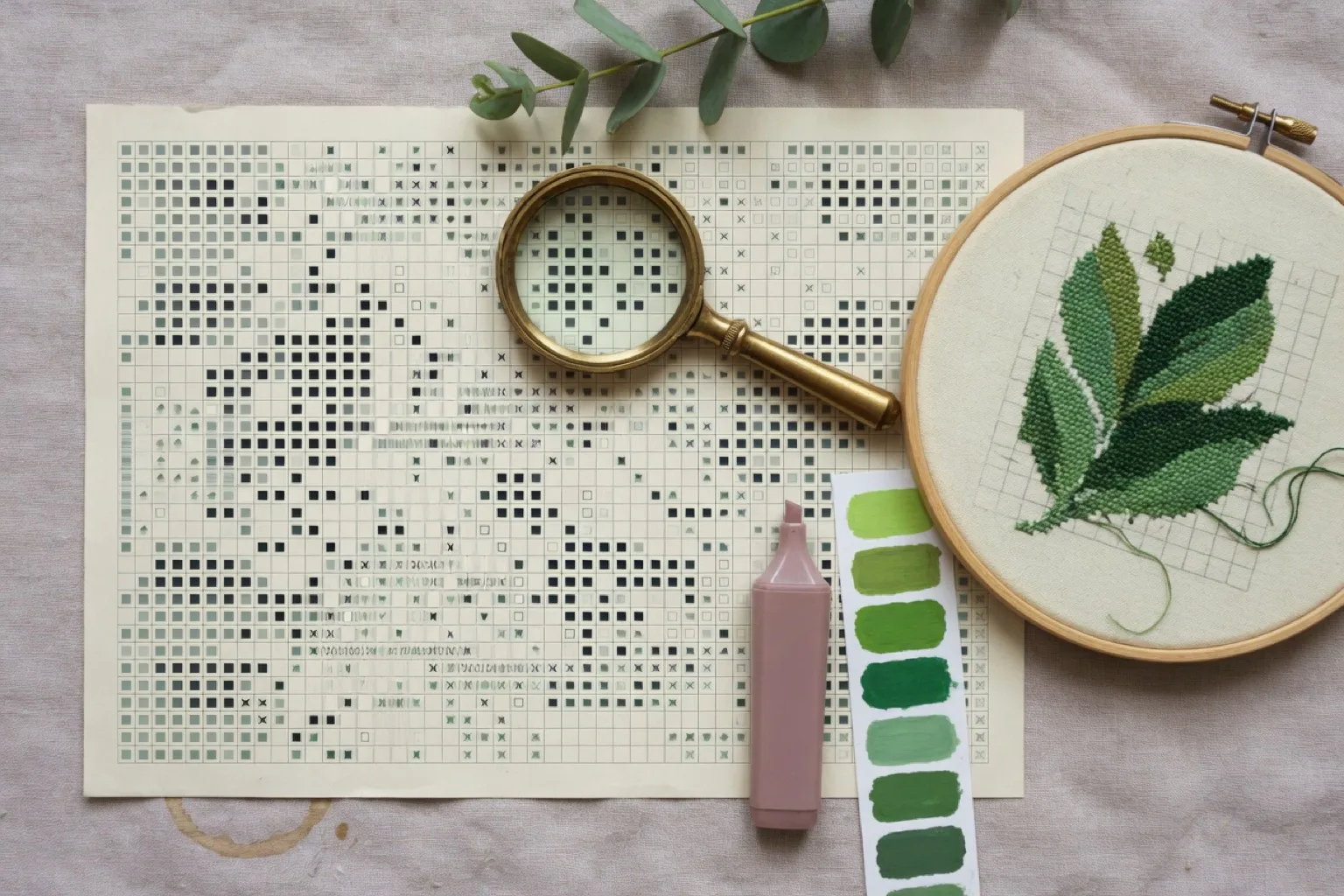
If you have stitched from magazine or kit charts, you know what a good chart feels like: readable symbols, numbered rows, sensible page breaks, a legend you can trust. This page covers what a chart maker needs to get right, and how StitchCraft handles each part on iPhone and iPad.
What is a counted cross stitch chart?
A counted cross stitch chart is a grid on paper or on a screen, not a design printed onto the fabric. Each square is one stitch, the symbol in it tells you which thread to use, and you count squares on the chart and holes on the Aida to know where every stitch goes. Stamped cross stitch works the other way round: the design is printed on the cloth and you stitch over it. Almost every modern pattern, from kits to free downloads, is a counted chart.
Chart or pattern? A quick word on terminology
Stitchers use both words, usually interchangeably. Strictly speaking, the chart is the symbol grid itself, and the pattern is the complete package: chart, legend, thread list, and fabric information. Experienced stitchers tend to say chart, which is why this guide does too. Everything here applies equally if you searched for a pattern maker or a cross stitch chart generator; the StitchCraft homepage covers the same app from that angle.
Symbols are what make a chart stitchable
Color-only grids look attractive on screen but fail at the moment it matters: two mid-tone browns side by side under warm evening light. Symbols remove the ambiguity, and they keep the chart usable when printed in black and white.
StitchCraft assigns a distinct symbol to every DMC color in the pattern automatically, and lets you work in three views:
- Color view for an impression of the finished piece.
- Symbol view for unambiguous stitching, like a printed chart.
- Combined view with symbols drawn over the colors, the best of both.
Sections and numbering for large charts
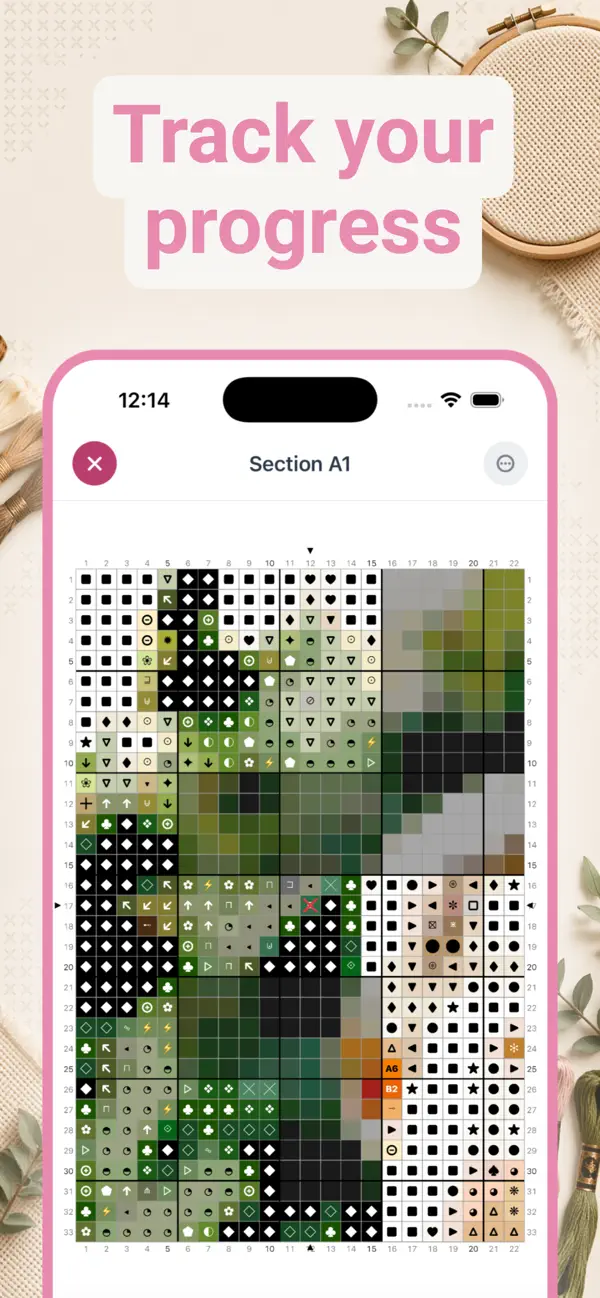
A 200 × 200 chart has 40,000 squares; nobody navigates that as one page. Printed charts solve this with numbered sections, and a digital chart maker should do the same. StitchCraft splits large patterns into sections (A1, A2, B1, and so on) that you open, stitch, and complete one at a time, with row and column numbers on every edge. Progress tracking is built into the same view: tap stitches to mark them done, and the app keeps a running count and percentage for the section and the whole piece.
Backstitch belongs on the chart
Outlines, lettering, whiskers, stems: backstitch carries the fine detail of a design, and it has to be printed in exactly the right place on the grid. In StitchCraft you draw backstitch lines directly in the editor, on top of the crossed stitches, and they carry through to the exported chart.
Custom palettes: chart with the threads you own
Experienced stitchers rarely start from zero; they have a stash. StitchCraft lets you build custom palettes from any combination of its 523 DMC colors, 487 Stranded Cotton and 36 Light Effects, and then design or generate charts restricted to that palette. Rename, duplicate, and reuse palettes across projects. One tap swaps every occurrence of one color for another if you change your mind mid-design.
The PDF export: a chart you could put in a kit
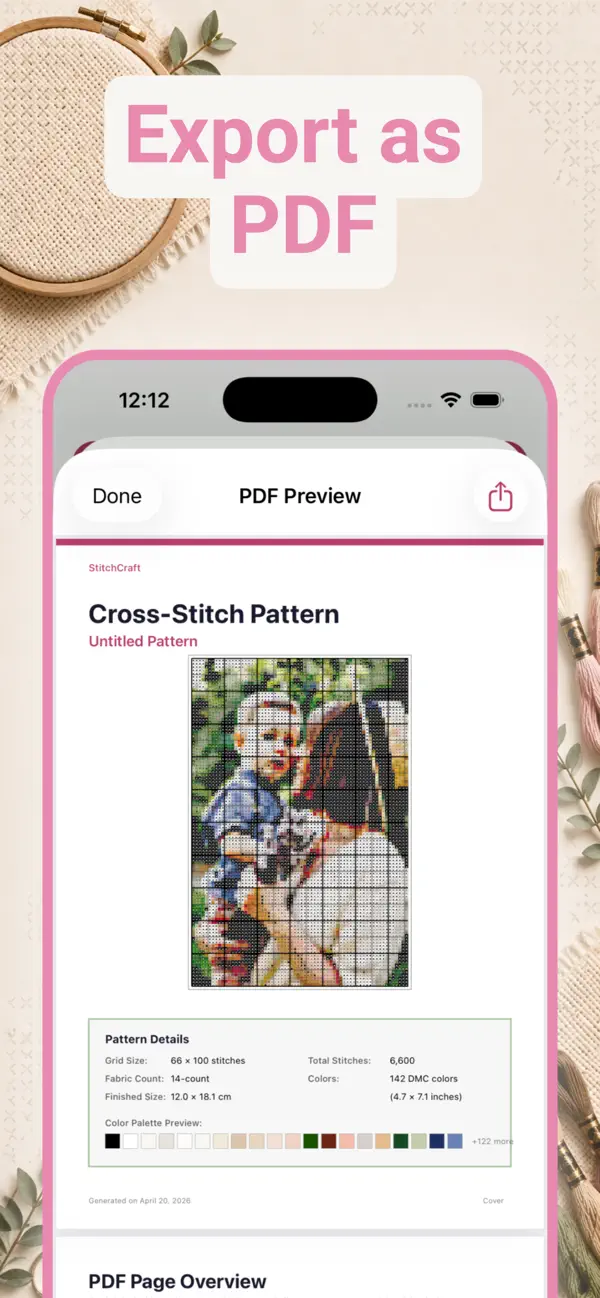
The print-ready PDF, part of StitchCraft Premium, contains what a commercial chart would:
- Full-color pattern preview and grid statistics.
- Section-by-section grid pages with symbols and row numbers.
- A color legend with DMC codes, stitch counts, and swatch previews.
- A shopping list with skein quantities and estimated cost.
- Fabric size recommendations for your chosen count, from 11ct to 28ct, in centimeters and inches.
Share it via AirDrop, email, or print, or save it to Files. Because symbols are assigned to every color, the chart prints perfectly in monochrome.
Frequently asked questions
What is the difference between a cross stitch chart and a pattern?
In practice the words are used interchangeably. Strictly, the chart is the grid itself, where each square carries a symbol or color for one stitch, while the pattern is the complete document: chart, color legend, thread list, and fabric information. Experienced stitchers tend to say chart.
Why do charts use symbols instead of just colors?
Symbols stay unambiguous where similar shades are hard to tell apart, and they survive black-and-white printing. A good chart maker assigns a distinct symbol to every thread color; StitchCraft does this automatically and lets you view color, symbols, or both combined.
Can a chart maker handle backstitch?
It should. Backstitch outlines are drawn as lines on top of the stitch grid and must be printed on the chart in the right position. In StitchCraft you draw backstitch lines directly in the editor and they are included in the PDF export.
How are large charts kept readable?
By splitting them into sections with row and column numbers, the way printed magazine charts do. StitchCraft splits patterns up to 200 by 200 stitches into navigable sections, both on screen and as section-by-section pages in the exported PDF.
Can I restrict a chart to threads from my own stash?
Yes. In StitchCraft you build custom palettes from any of the 523 DMC colors and generate or design charts that only use those threads. You can rename, duplicate, and reuse palettes across projects.
Is there a free cross stitch chart maker?
StitchCraft is free to download, and the free version makes symbol charts you can stitch from on screen: up to three patterns per day, up to 80 stitches wide and 20 colors. Printable PDF export, custom palettes, and shopping lists are part of StitchCraft Premium. For a tiny motif, graph paper and a pencil are still the cheapest chart maker there is.