Convert a photo to a cross stitch pattern: step by step
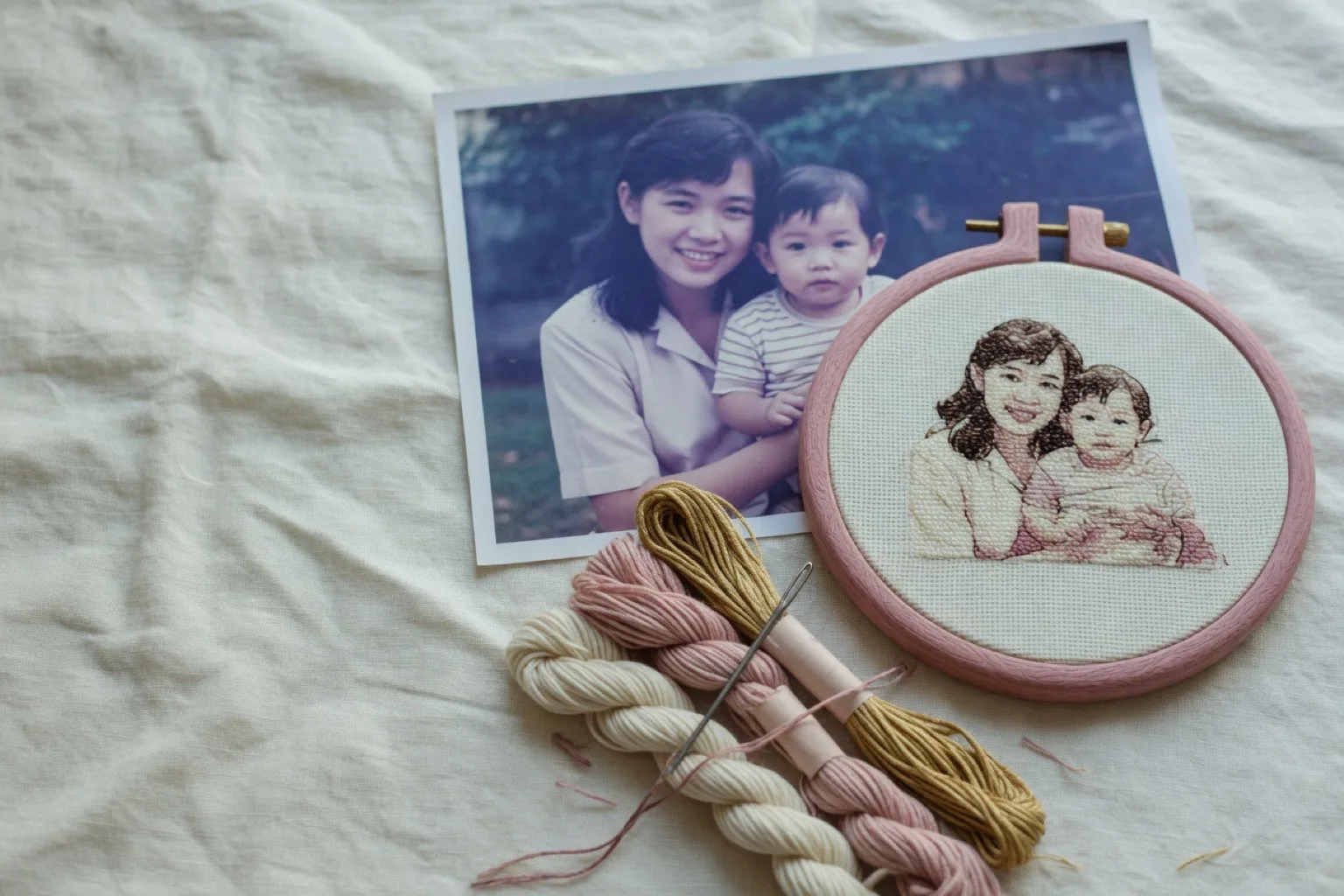
Turning pictures into cross stitch patterns used to mean graph paper, or desktop software and an evening of cleanup. Now a converter does most of the work in a few minutes. You'll see it called a picture to cross stitch converter, a photo cross stitch converter, or a cross stitch image converter. They all do the same job, and none of them can rescue a bad photo. This guide covers which photos convert well, how big to make the grid, how many colors to allow, and how to end up with a chart you'd want to stitch instead of a pixelated mess of single stitches.
How a photo cross stitch converter works
A photo contains millions of pixels and colors. A stitchable pattern needs the opposite: a coarse grid and a short list of thread colors you can actually buy. Every converter does three things:
- Downscales the image to your chosen grid size, for example 120 × 90 stitches, so each grid square represents one cross stitch.
- Reduces the colors to a fixed palette size, merging similar shades together.
- Maps each color to a real thread, typically a DMC code, and assigns a symbol so the chart is readable in black and white.
The quality of your finished piece depends far more on the choices you make during these steps than on the software itself. That is why a good generator lets you preview and adjust before committing.
Which pictures make good cross stitch patterns
- Sharp and well lit. Low-resolution or blurry images turn into blocky charts with muddy colors.
- A clear subject. Faces, pets, buildings, and flowers work well. Crop tightly so the subject fills most of the frame; background detail costs stitches without adding anything.
- Strong contrast. Photos with distinct light and dark areas survive color reduction much better than flat, hazy images.
- Beware subtle gradients. A pale sunset or soft bokeh background can trick a generator into producing dozens of nearly identical thread colors. Increase contrast or choose a different crop.
How big should the pattern be?
Grid size is the biggest trade-off when you convert a picture to a cross stitch pattern. More stitches means more detail, but stitching time grows with the square of the size: a 200-stitch-wide pattern takes roughly four times as long as a 100-stitch-wide one.
A practical starting point is 100 to 150 stitches on the longest side. Portraits stay recognizable, and the project remains finishable. The finished size on fabric depends on your fabric count:
| Grid width | 14-count Aida | 16-count Aida | 18-count Aida |
|---|---|---|---|
| 80 stitches | 14.5 cm / 5.7" | 12.7 cm / 5.0" | 11.3 cm / 4.4" |
| 120 stitches | 21.8 cm / 8.6" | 19.1 cm / 7.5" | 16.9 cm / 6.7" |
| 160 stitches | 29.0 cm / 11.4" | 25.4 cm / 10.0" | 22.6 cm / 8.9" |
| 200 stitches | 36.3 cm / 14.3" | 31.8 cm / 12.5" | 28.2 cm / 11.1" |
The math is simple: stitches divided by fabric count equals inches. StitchCraft shows the finished dimensions in centimeters and inches automatically for fabric counts from 11ct to 28ct, and recommends a fabric size with margin for framing.
How many colors should you use?
Fewer than you think. Every extra color means more thread changes and more confetti: scattered single stitches of a color that are slow to stitch and easy to misplace. For most photo patterns:
- 15 to 25 colors is enough for portraits and pets.
- 30 or more colors only pays off on large, highly detailed pieces.
- If the preview looks noisy, reduce the palette and raise the contrast slightly; large calm color blocks stitch faster and read better from a distance.
Make a cross stitch pattern from a photo in StitchCraft
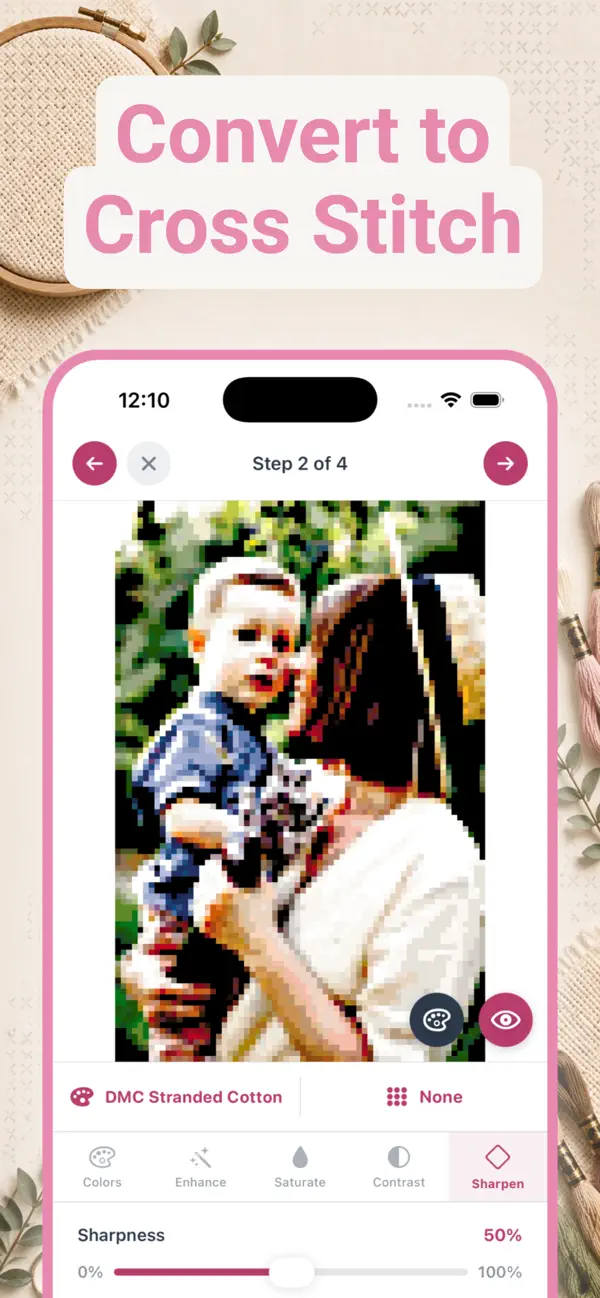
StitchCraft is a cross stitch pattern maker for iPhone and iPad that runs the whole conversion on your device. The wizard takes four steps:
- Pick a photo. Choose a sharp, well-lit photo from your library and crop it so the subject fills the frame.
- Choose the grid size. Start around 100 to 150 stitches on the longest side. The app shows the finished fabric dimensions for your chosen fabric count as you adjust.
- Select thread colors. 15 to 25 DMC colors covers most portraits and pets. Set how many colors the generator may use, or restrict it to a custom palette of threads you already own.
- Fine-tune and preview. Adjust brightness, contrast, saturation, and sharpness, preview the mapped result, and generate when it looks right.
The result is a color-mapped grid based on real DMC thread codes: 523 official colors, covering 487 Stranded Cotton and 36 Light Effects threads. Because everything happens on-device, your photo is never uploaded anywhere.

After generating: edit, stitch, export
A cross stitch pattern from a photo is a starting point, not a final answer. In the editor you can clean up stray stitches with the pencil and eraser, flood-fill backgrounds, swap one DMC color for another across the whole pattern in a single tap, and add backstitch lines to sharpen outlines like facial features or lettering.
When you start stitching, tap stitches to mark them complete and follow your progress percentage. Large patterns are split into sections so you always know where you are. When you want a paper chart, export a print-ready PDF with symbol grids, row numbers, a DMC color legend, and a shopping list with skein quantities and estimated cost.
Frequently asked questions
How do I make a picture into a cross stitch pattern?
Pick a sharp photo and crop it tight around the subject. A converter then shrinks it to a grid where each square is one stitch and matches every color to a real thread. In StitchCraft you set the grid size and the number of DMC colors, adjust contrast and sharpness while you watch the preview, and generate. Tidy up stray stitches in the editor before you start stitching.
Can I turn any photo into a cross stitch pattern?
Technically yes, but results vary. Sharp, well-lit photos with a clear subject and a simple background convert into clean, stitchable charts. Low-resolution images or photos with subtle color gradients, like hazy sunsets, tend to produce blocky results or dozens of nearly identical thread colors.
How many stitches should a photo pattern be?
For a first photo conversion, around 100 to 150 stitches on the longest side is manageable and still holds recognizable detail. Larger grids add detail but multiply stitching time. StitchCraft supports patterns up to 200 × 200 stitches, split into sections.
What are confetti stitches and how do I avoid them?
Confetti refers to many scattered single stitches of different colors, which are slow and fiddly to stitch. Avoid it by limiting the color palette when generating and by slightly increasing contrast and sharpness so similar colors merge into larger blocks.
Does the generated pattern use real thread colors?
In StitchCraft, yes. Every square is matched to one of 523 official DMC colors, and the export includes a color legend with DMC codes plus a shopping list with skein quantities.
Is my photo uploaded to a server?
Not with StitchCraft. The conversion happens entirely on your iPhone or iPad, with no account and no internet connection required, so your photos never leave your device.
Do I need an online converter to turn a picture into a cross stitch pattern?
No. Online converters run in the browser, but they upload your photo to a server and usually hand you a fixed PDF with limited editing. StitchCraft does the same conversion on your iPhone or iPad and keeps the pattern editable afterwards, with progress tracking and PDF export in the same app.